
You are using an out of date browser. It may not display this or other websites correctly.
You should upgrade or use an alternative browser.
You should upgrade or use an alternative browser.
Minecraft
- Thread starter Little.
- Start date


- Joined
- May 20, 2002
- Messages
- 24,877
- Reaction score
- 5
btw, der neue Client (bzw das neue Update) hat jetzt auch die Option drin IN Minecraft selbst Texturepacks auszuwählen.
Ich hab mir meins aufbauend auf dem painterly pack zusammengebastelt

http://painterlypack.net/
da gibt es übrigens auch die "Skylands" Map. Dachte ja zuerst an der liegts dass bei mir Minecraft auf einmal so krass abkackt, aber es lag an meinem PC. HAb jetzt nen besseren

und btw, die Maps sind jetzt wieder wesentlich besser seit dem Update. Nicht mehr nur flach oder nur Inseln - yay !

- Joined
- Apr 15, 2010
- Messages
- 4,464
- Reaction score
- 0
naja ich hab nochma just for fun nen neuen save gemacht und die behinderteste welt bekommen die es nur gibt ich hab erstma 20min nach nem berg gesucht musste mich zwischenzeitig in holz einwallen weils auch keine höhlen bei mir gab
und dann auf meiner wandertour bin ich auf einma innen loch gefallen wo ich eifnach ma erde drüber abgebuddelt hab und direkt reingefallen bin weil ich so doof war und drauf stand und direkt kamen 100zombies auf mich zu und haben mich tod gekloppt aber in der höhle die recht groß war. War sogar kohle
ich hab die welt zwar noch net aufgegebn aber bisjetzt besteht sie eig nur aus bäumen und flachland
ziemlich öde um sich nen paradis zu bauen ich überleg ob ich vll einfach den ganzen wald anzünde um platz zu schaffen
und dann auf meiner wandertour bin ich auf einma innen loch gefallen wo ich eifnach ma erde drüber abgebuddelt hab und direkt reingefallen bin weil ich so doof war und drauf stand und direkt kamen 100zombies auf mich zu und haben mich tod gekloppt aber in der höhle die recht groß war. War sogar kohle
ich hab die welt zwar noch net aufgegebn aber bisjetzt besteht sie eig nur aus bäumen und flachland
ziemlich öde um sich nen paradis zu bauen ich überleg ob ich vll einfach den ganzen wald anzünde um platz zu schaffen
- Joined
- May 20, 2002
- Messages
- 24,877
- Reaction score
- 5
also bei mir kommen atm wirklich nur saucoole Maps raus ^^
wobei der ingame Screenshoot echt nich dolle is O_o
f1+f2 - aber zum zeigen taugts

achja und mein Spawnpoint ist auf (!) einem Baum. Das fand ich ziemlich lustig
Attachments
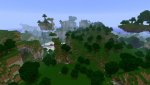
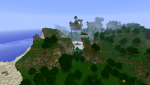


 nur meine hauptwelt is super^^
- Joined
- Dec 11, 2002
- Messages
- 7,423
- Reaction score
- 0
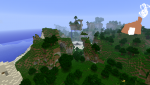
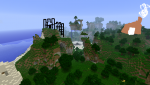
was meinst wie ich mir in den Arsch gebissen hab :/
wenigstens bleiben mit diese beiden Screenshoots
Deine blöden Screens können wa nicht bebauen

- Joined
- Jul 5, 2002
- Messages
- 4,802
- Reaction score
- 0
@Ufserver: irgendwer nen Plan wieviel upload man für sowas brauch? hab hier noch ungenutzte hardware, die theoretisch dazu in der Lage sein sollte sofern das mit der datenrate hinhaut..
€: äh ok, im LAN läufts schonmal
frage: wie speichert man den server?
€: http://www.minecraftwiki.net/wiki/Server
€: 1. Configure the server by editing the server.properties.
2. Add your username to the admin.txt and op.txt. Admin.txt allows you to execute server commands, and op privileges allows you to destroy/place blocks.
3. If your computer is connected to a router, open and forward the port that is set for use with the server (The default is 25565). For help with port forwarding, portforward.com is a good source, alternatively one can read the documentation supplied with the router, modem, or other ISP related hardware.
4. Verify the port is open and note your external IP by using a open port check tool.
€: äh ok, im LAN läufts schonmal
Off Topic:
|
[INFO] Starting minecraft server version 0.2.4 [INFO] Loading properties [INFO] Starting Minecraft server on *:25565 [INFO] Preparing level "world" [INFO] Preparing start region [INFO] Done! For help, type "help" or "?" [WARNING] Can't keep up! Did the system time change, or is the server overloaded? [INFO] USERNAME[/127.0.0.1:1659] logged in with entity id 0 [INFO] USERNAME lost connection: Quitting [WARNING] Can't keep up! Did the system time change, or is the server overloaded? |
frage: wie speichert man den server?
€: http://www.minecraftwiki.net/wiki/Server
€: 1. Configure the server by editing the server.properties.
2. Add your username to the admin.txt and op.txt. Admin.txt allows you to execute server commands, and op privileges allows you to destroy/place blocks.
3. If your computer is connected to a router, open and forward the port that is set for use with the server (The default is 25565). For help with port forwarding, portforward.com is a good source, alternatively one can read the documentation supplied with the router, modem, or other ISP related hardware.
4. Verify the port is open and note your external IP by using a open port check tool.
Last edited:
Similar threads

- Replies
- 0
- Views
- 556


- Replies
- 0
- Views
- 248